Blur It: share your screen, not your secrets
A Chrome extension that helps people keep sensitive information out of sight when they share their screen. I took it from idea to launch: the product, the brand identity, the positioning, the copy and the website.
- Services
- Product development · Brand identity · Positioning · Copywriting · Web design · Development
- Subject
- Chrome extension that blurs anything on a web page
- Type
- Self-initiated product
- Platform
- Chrome extension
- Focus
- Product, brand and landing page
- Tools
- Framer
Overview
Screen sharing is part of everyday work: presenting to clients, demonstrating software, recording tutorials. But one wrong click or an unexpected notification can expose something that was not meant to be shared. Blur It lets people hide sensitive information directly on a web page, with no editing of screenshots or recordings afterwards. Visitors install it from the Chrome Web Store, and a one-time licence key unlocks the Pro features. The page has to make a cold visitor understand it in seconds, trust it with their screen, and either install or buy in one visit.
The goal. Get a visitor to install in one visit, and make buying a licence the obvious next step.
“I wanted the page to answer one fear, leaking a secret on a recording, before the visitor scrolls.”
Clinton Ojobor, Reko Design StudiosWhat a visitor needs answered
What does it do?
The headline and subhead say it hides secrets on screen and name what: API keys, customer data and revenue numbers. Three short features show how.
Is it safe to give it my screen?
The first FAQ answers it directly: the extension runs in the browser and sends no data to any server. Reviews from founders and store users back it up.
What will it cost me?
One price, paid once, with a 30-day money-back guarantee.
How the page is built
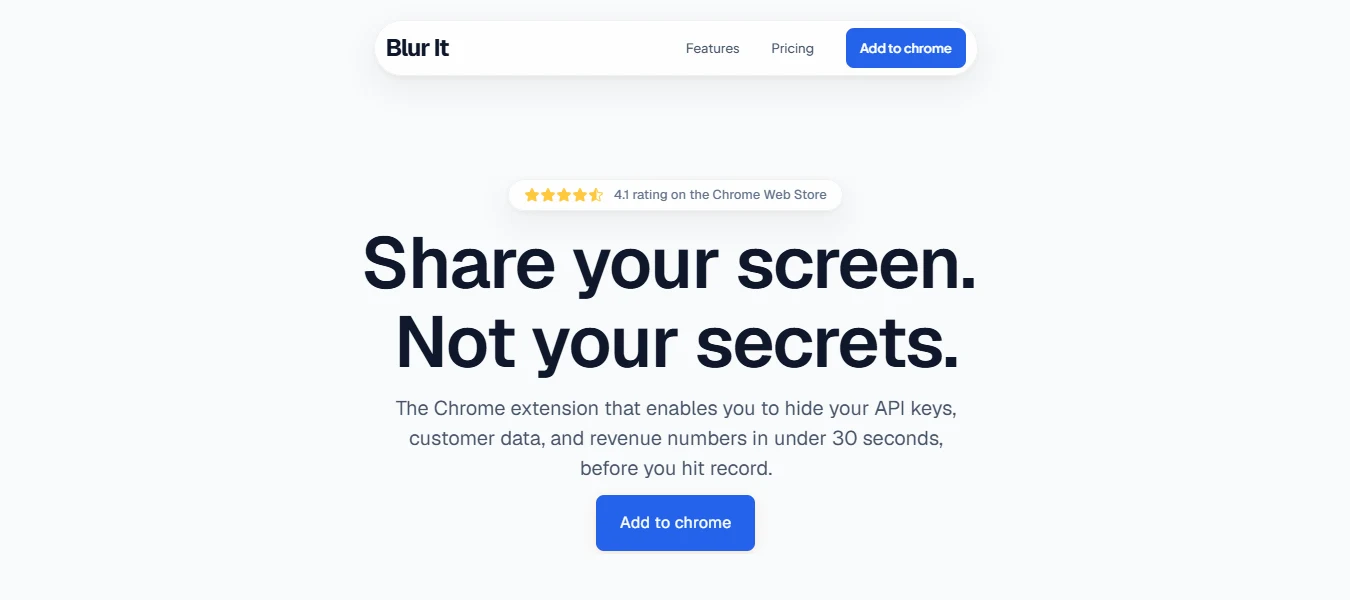
A headline that names the fear, and a subhead that gets specific
“Share your screen. Not your secrets.” The line under it names what gets hidden (API keys, customer data, revenue numbers), how fast (under 30 seconds) and when (before you hit record).
Why. It states the benefit as the thing the visitor is worried about, and the specifics make the promise believable.
Store proof above the headline
A small pill shows a 4.1 rating on the Chrome Web Store.
Why. Visitors install from the store, so a rating from there is proof they already trust.
The product at work in the first scroll
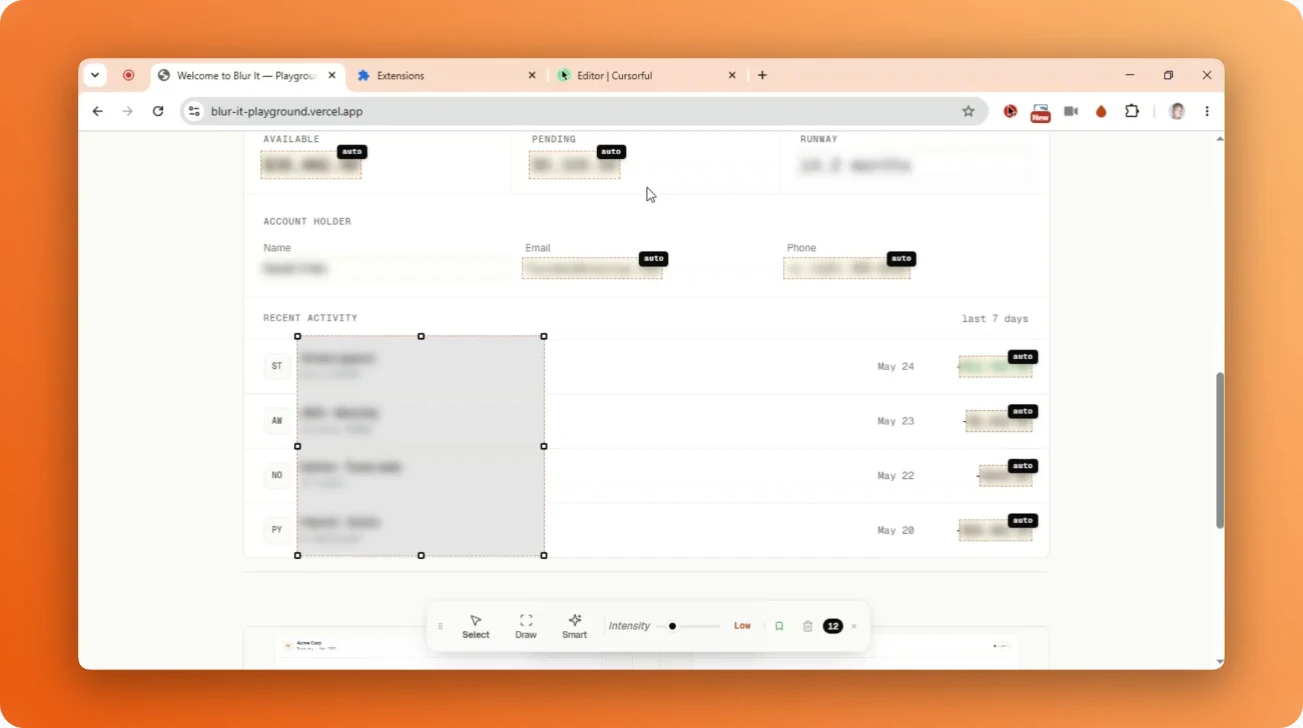
Under the button, the extension is shown in a real browser window on an orange panel: values blurred and tagged “auto”, a box being drawn, and a toolbar with Select, Draw and Smart tools and an intensity slider.
Why. The visitor sees the product doing its job before reading anything else, and the colour panel makes it the focus of the page.
The shortest path to install
“Add to chrome” in the nav and the hero goes straight to the Chrome Web Store. The closing button leads to pricing for visitors who are ready to buy.
Why. Visitors who want to try it can do so in one click, without a form or a detour.
Three features, each shown working
The features section is titled “Flawless Screen Shares. Zero Anxiety.” and has three numbered features: click to blur, draw a box, and blurs that survive reloads. Each has one sentence and an animated demo on realistic sample data, a customer table, a bar chart and a revenue dashboard, with a “Blur restored” message after a reload.
Why. It shows the product doing its job, and the three features match the three things people worry about: speed, coverage and mistakes mid-call.
One price, no tiers
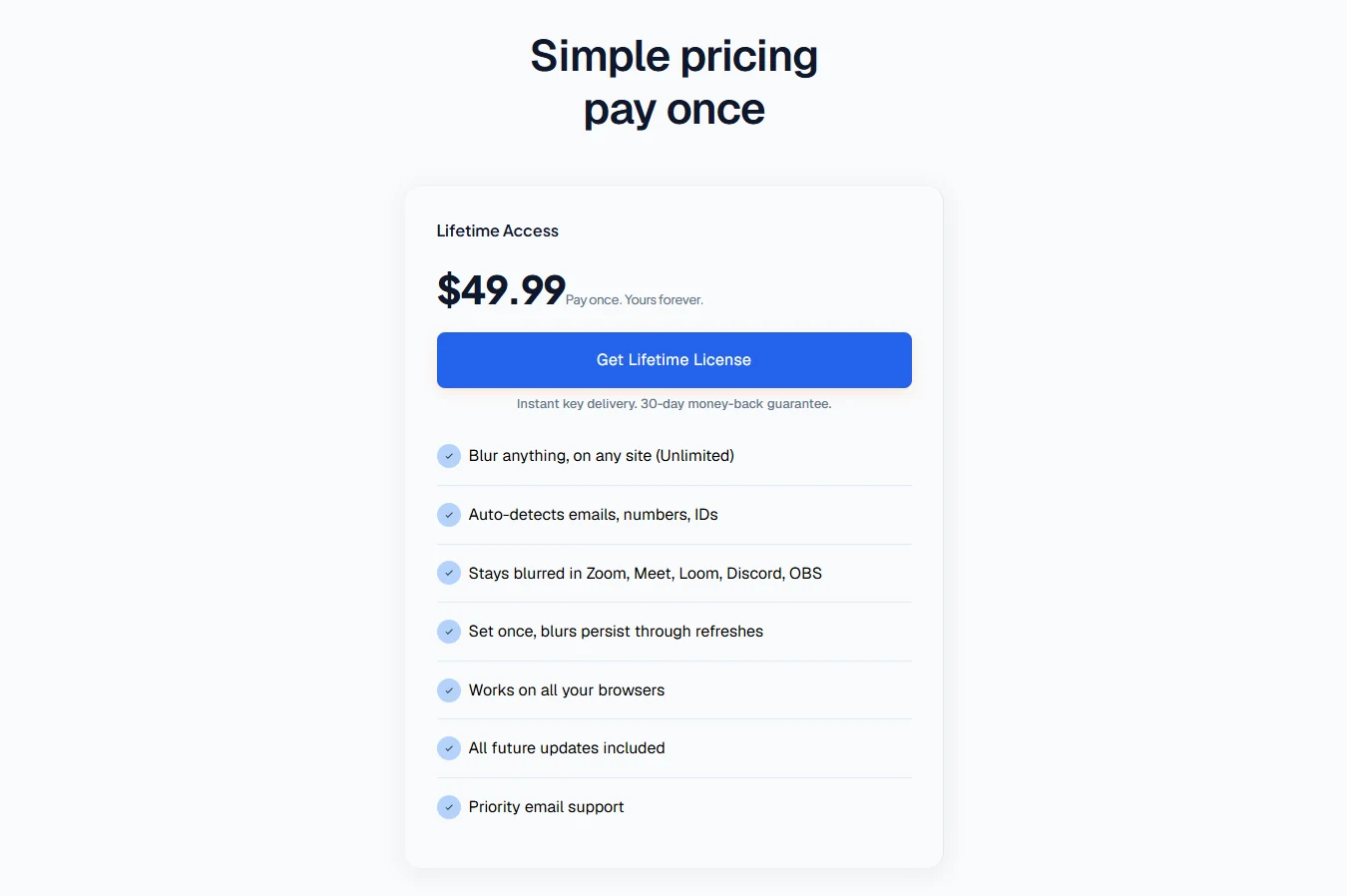
“Simple pricing, pay once.” One Lifetime Access plan at $49.99, a short list of what is included, and “Instant key delivery. 30-day money-back guarantee.” under the button.
Why. There is nothing to compare and no subscription to worry about, so buying is a single decision.
Reviews that sound like the visitor
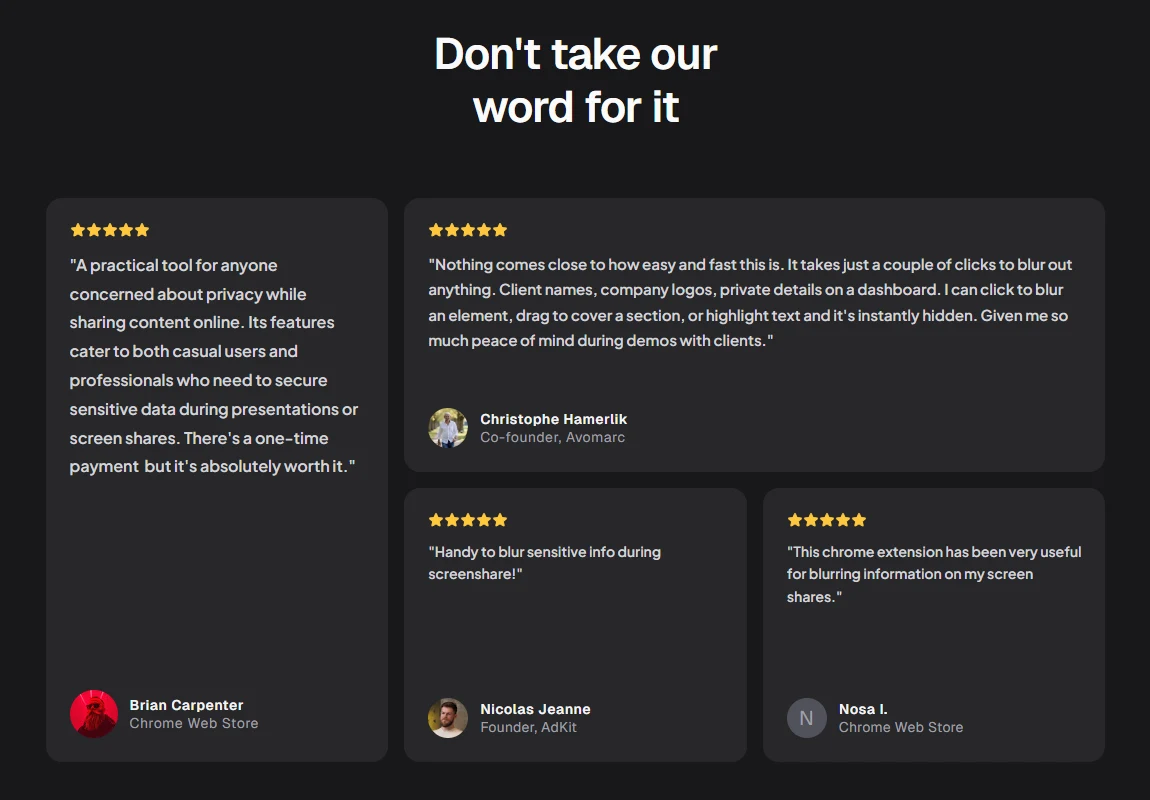
Four short reviews, two from Chrome Web Store users and two from founders, each with a name and a role.
Why. They repeat the same concerns the visitor has, in the words of people like them.
An FAQ that answers the worry first
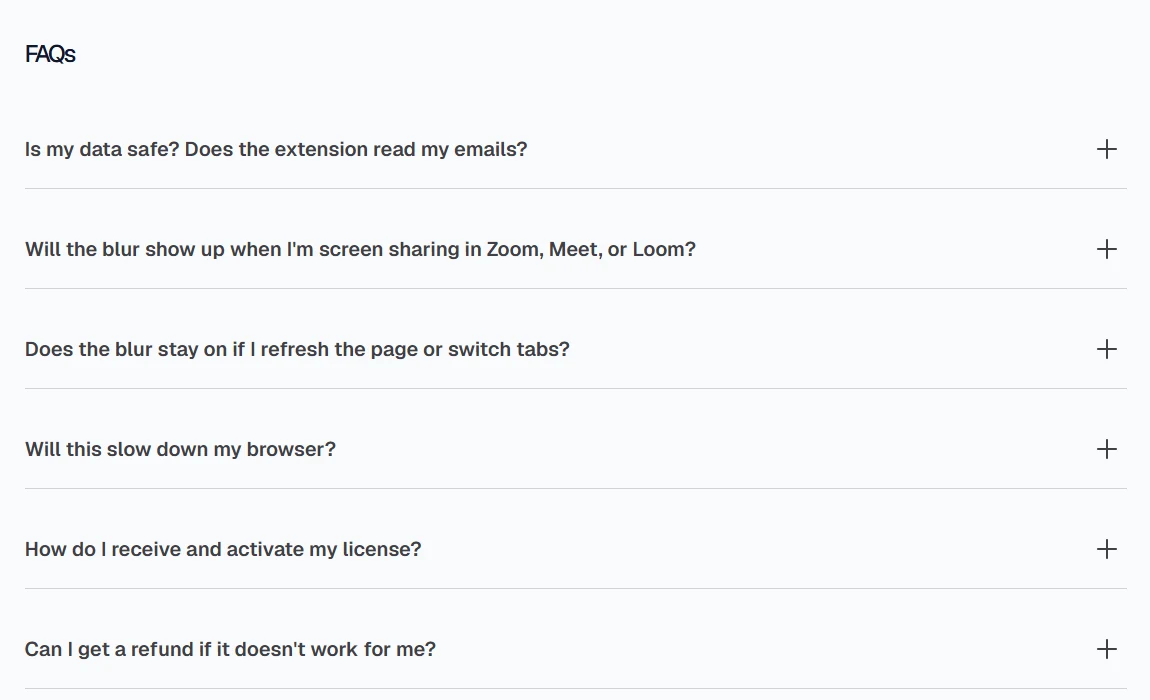
Six questions, led by whether the extension reads your data. Others cover Zoom, Meet and Loom, page reloads, speed, how to activate a licence and refunds.
Why. A cautious buyer gets every objection answered in one place, and the safety answer comes first.
What I’m watching
This is what I look at as more people visit the page.
A live project, not a concept. You can see it at blur-it.app.
Want this kind of teardown for your site?
Book a 20-minute call, or send me your website address for a free audit.
20-minute call · Fixed quote within one business day